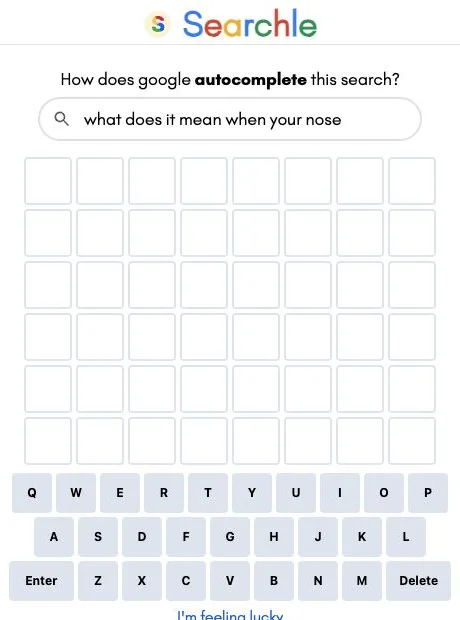

Searchle is a daily word puzzle built around completing a Google autocomplete prompt. You guess the missing word in six tries, using the search phrase and colored letter feedback together. In our historical round, a plausible completion was wrong, but its letters helped turn the next full-length guess into a solve.
A search prompt gives your first guess a direction
The clue appears in a rounded search bar above the letter grid. Read that phrase before typing, then count the boxes: the historical puzzle we tested had eight letters, while the current daily board we inspected had five. Searchle is not restricted to Wordle’s familiar five-letter format.
Type the completion itself, rather than the entire search query, and press Enter. An on-screen keyboard also accepts individual letters. The six rows show your available attempts, and the keyboard carries the letter colors forward so you do not have to keep every exclusion in your head.
The prompt makes this feel different from guessing an entirely unprompted word. It narrows the subject immediately, but it does not mean that every natural-sounding completion will count. You are looking for the puzzle’s particular completion, not submitting an open-ended answer for a popularity score.
What our wrong guess actually taught us
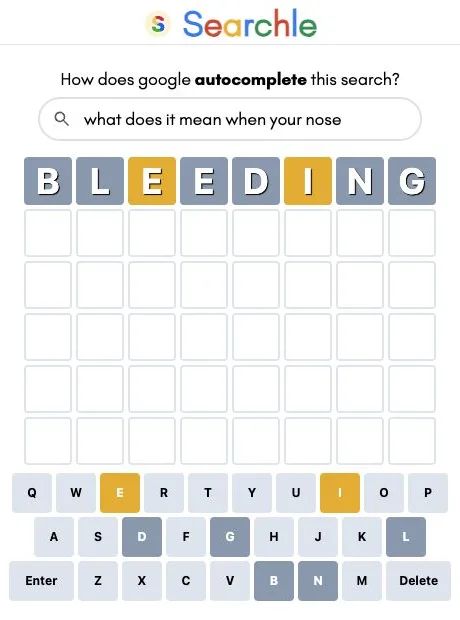
On October 27, 2026, we selected the archive entry “what does it mean when your nose.” Our first guess was BLEEDING. It fit the eight boxes and sounded reasonable in context, but it did not solve the puzzle.
The first E and the I turned yellow, indicating letters that belonged elsewhere. B, L, D, N and G were gray. The second E was gray too, despite the earlier E being yellow. That is a useful warning to read individual tiles carefully: a repeated letter need not receive the same feedback twice. This example supports that distinction without establishing every possible repeated-letter case.
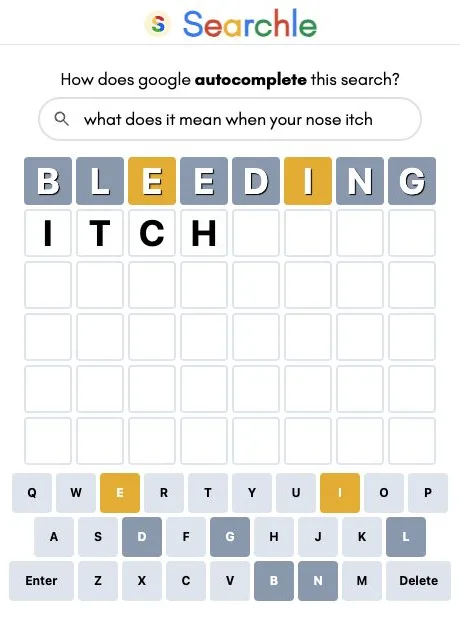
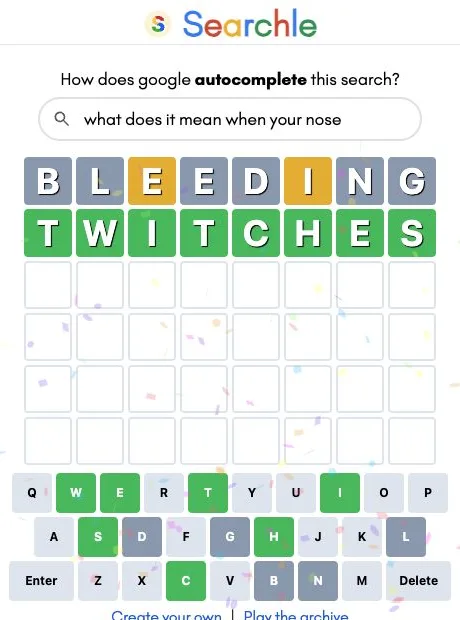
We then typed ITCH and pressed Enter. The game displayed “Not enough letters” and kept the incomplete guess on the second row. It did not spend another attempt. After deleting those four letters, we entered TWITCHES; the entire second row turned green and confetti appeared. This was an archive solve in two accepted guesses, not a completed attempt at that day’s challenge.
The practical lesson is to combine the sentence with the board. BLEEDING made contextual sense, but its feedback ruled out much of its spelling. Repeating the same idea with small cosmetic changes would have ignored the more useful evidence.
Archive access and optional constraints
The clock icon opens a Game Archive containing clickable search prompts. We opened and completed one of those entries through the normal interface. That makes the archive a useful place to learn the controls before committing attention to the daily puzzle. We did not establish calendar dates or puzzle numbers for the listed entries.
Settings describe a “Must be valid words” option for requiring English words and a Hard Mode option that requires revealed hints in subsequent guesses. Dark Mode and High Contrast Mode are also listed. We inspected those descriptions but did not test dictionary boundaries or complete a Hard Mode round, so this review does not promise which unusual spellings will be accepted.
Our completed round used desktop keyboard input. A separate cross-origin iframe test accepted an on-screen-keyboard guess and returned letter feedback. Advertisements appeared around the game during testing, including a bottom overlay, which can distract from the otherwise compact board. Mobile controls, accounts, saved progress, paid features and the exact daily reset time remain unverified. We also did not measure uninterrupted solving time; the session included investigation and screenshot pauses.