
Musicle is a daily music puzzle in which you identify the album that contains a sampled track. In Regular mode, you choose one of four album covers for each of three daily prompts in a selected music “flavor.” My October 27, 2026 test used the 1001 flavor; its three-column board made the next prompt available after each submission, including a miss.
How a Regular round works
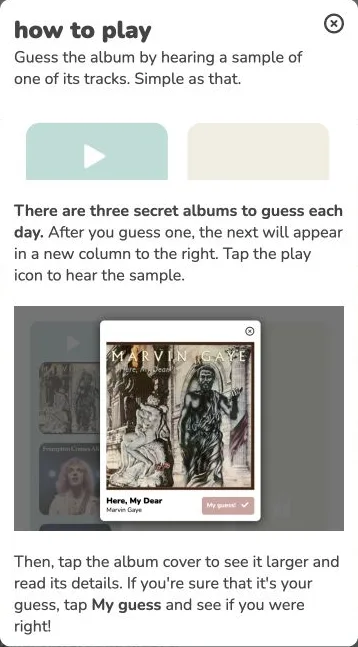
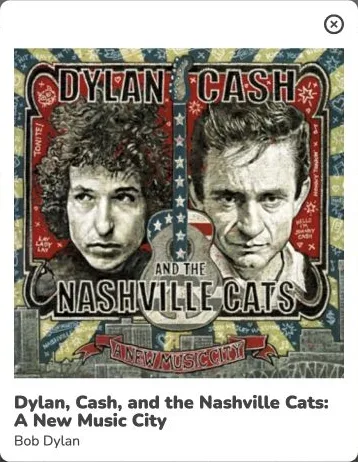
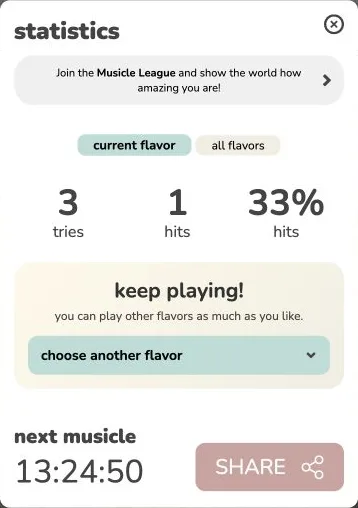
Choose a flavor, then use the play control above the first column. Four covers are offered for that prompt. Tapping a cover opens a larger view with the album title and artist, but it does not submit anything; My guess! is the commitment. The game marks the choice as a hit or miss, identifies the sampled track and its album in the result panel, and opens the next column. After all three choices, a statistics panel reports the number of tries and hits and offers a share control.
That distinction between inspecting and submitting matters. I opened the first candidate’s detail panel before choosing it, which let me read the full title instead of relying on small cover text. My Dylan/Cash selection received a red miss!; a second selection, Olympia 64, also missed. The third submission produced a green hit!, and the final panel showed three tries and one hit. This is one completed 1001 Regular run, not a claim about a typical player's score or difficulty.
What the clues can and cannot tell you
The task is to connect a track to its album, not to type a song title, identify a singer alone, or guess a release year. The covers and their detail panels supply visual context, while the play button is the intended audio clue. There are no Wordle-like color grades that narrow a later guess; in my run, each miss revealed the correct track and album for that prompt and the next column became available.
I could operate the play controls and see them switch state, but this browser test did not provide an audible feed I could independently verify. I therefore cannot judge clip quality, recognize instruments or vocals, or recommend a listening tactic from first-hand hearing. The useful check I could make was visual: open each cover before submitting so a long album title or artist credit is readable. A familiar-looking sleeve is not enough evidence that its album contains the sampled track, as my first two misses illustrated.
Modes, flavors, and a practical limit
The home screen separates Regular from Royale. The official Royale instructions describe six samples, nine albums, and a run that ends on a wrong match; I did not play that mode. The flavor menu ranges from broad pools such as 1001 to jazz, K-pop, video-game music, decades, and other themes. Choosing a flavor changes the pool you are asked to recognize, so it is the clearest way to tailor the subject matter before starting.
The site credits @adrianosbr and says its data and samples come from the Apple Music API. Its History panel describes tracks heard in the last two weeks; I saw that panel but did not verify that it replays past puzzles. I also did not test a phone, account features, payment, or the exact reset timezone. For this run, the strongest observed feature is the clean three-step album-choice flow and immediate hit/miss explanation; the missing audible verification is the main limit on any judgement of the music itself.