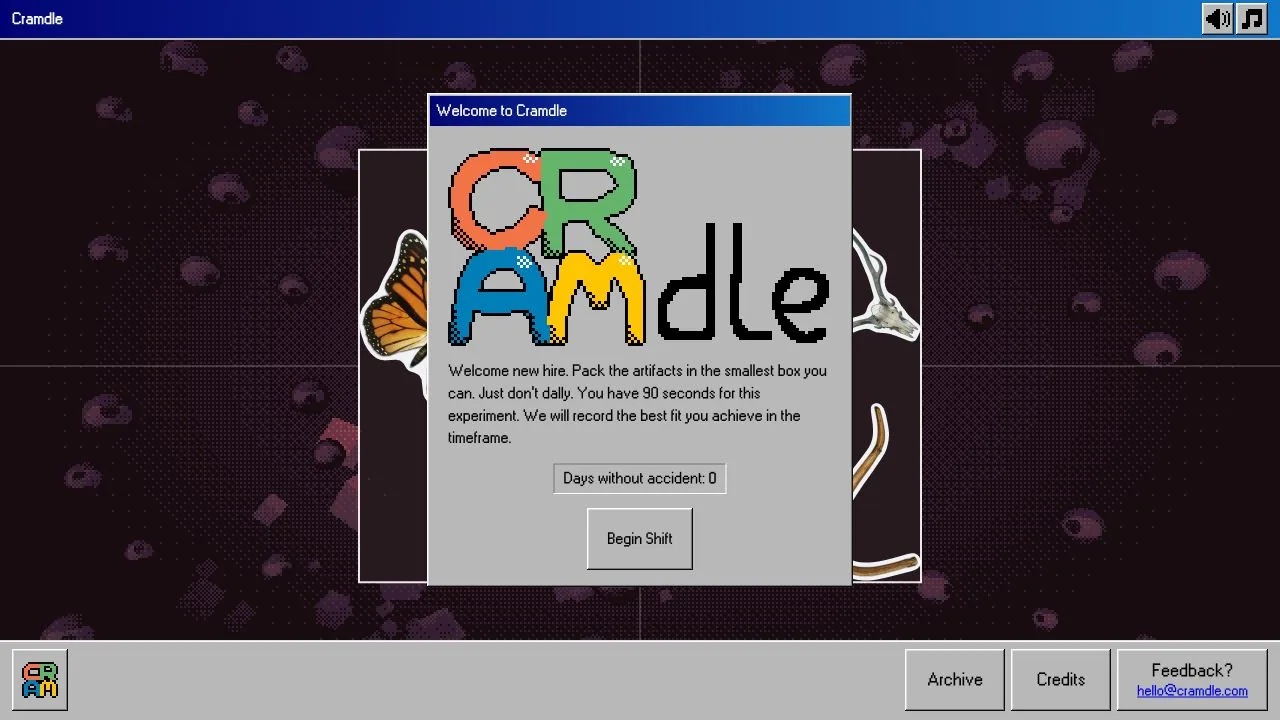


Cramdle is a daily spatial packing puzzle about fitting museum artifacts into the smallest possible box. During a 90-second shift, you drag and rotate the objects, watch the enclosing area, and try to improve your best fit before time runs out.
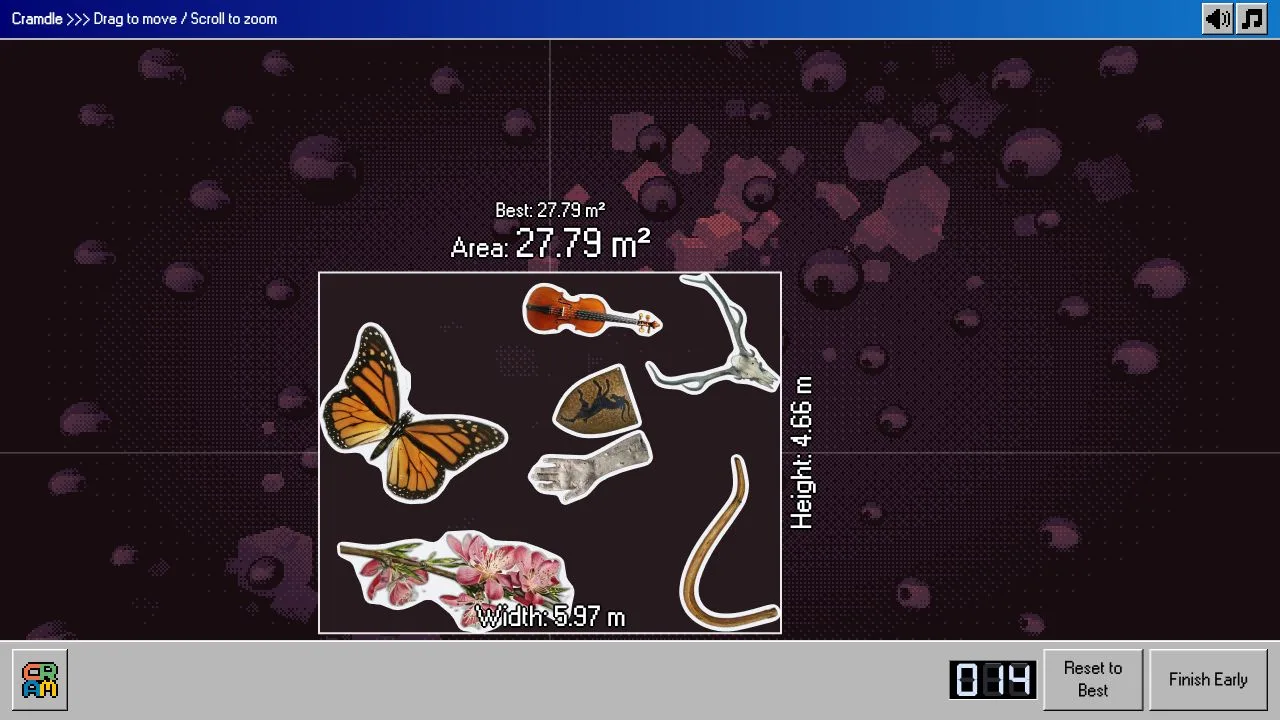
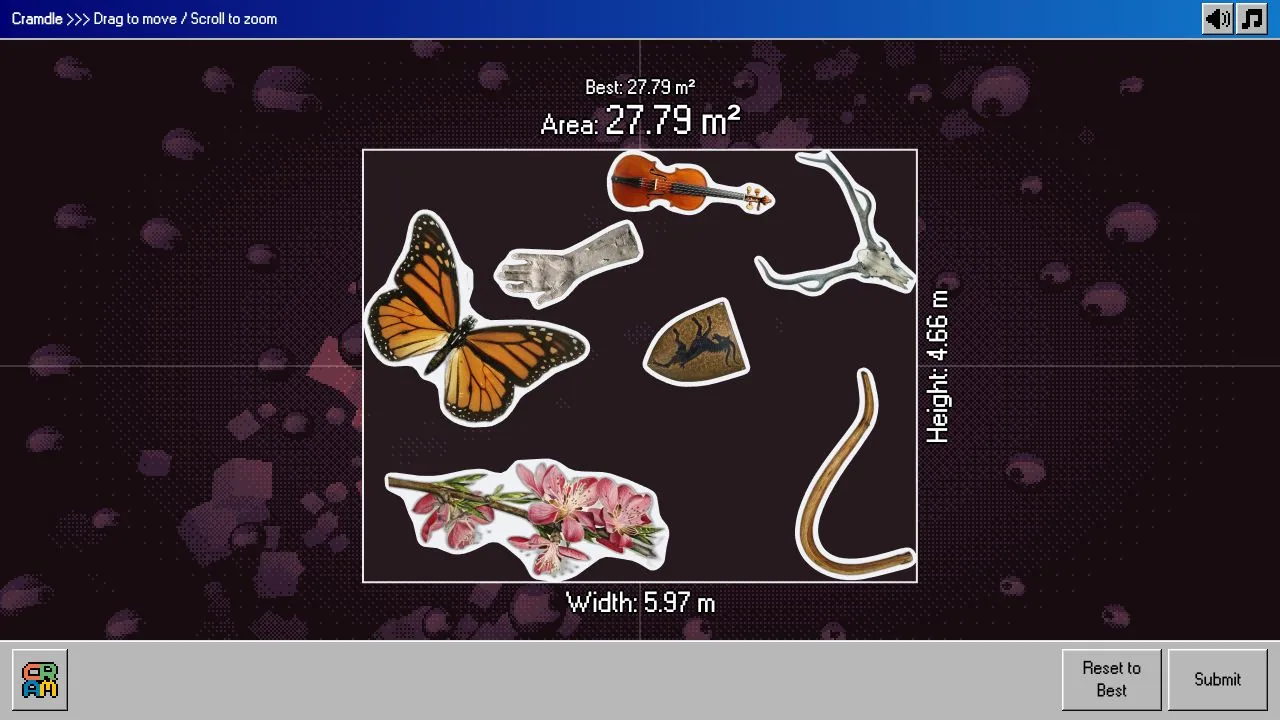
Our tested set included a butterfly, violin, hand cast, antlered skull, curved horn, flowering branch and small shield. We reduced its starting area from 40.53 m² to 27.79 m² by moving the outermost pieces inward, with one overlap to untangle along the way.
Shrink the box by moving its edges
Choose Begin Shift when you are ready to start the clock. Drag an artifact itself to reposition it; the surrounding rectangle follows the outer edges of the arrangement. Width, height and area update as you work, so you can see whether a move actually makes the whole layout smaller.
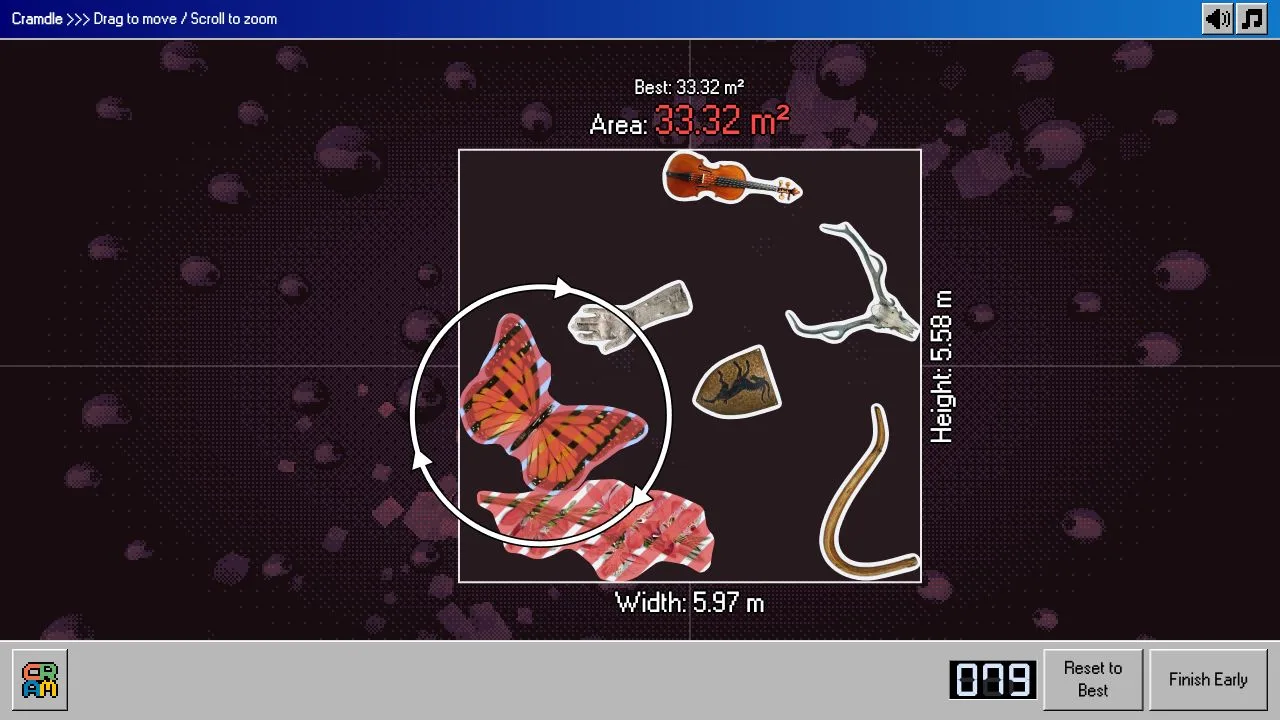
In our run, moving the butterfly inward reduced the displayed width from 7.26 m to about 5.97 m. That brought the area down to 33.32 m² while the height remained around 5.58 m. Moving the violin lower later reduced the height to 4.66 m, producing the eventual 27.79 m² result. These are measurements from this particular arrangement, not target scores for every day.
This makes the boundary more useful than a tidy-looking cluster in the middle. Filling an interior gap can look productive without changing either dimension. Before spending time on a small adjustment, check which object is holding the top, bottom, left or right edge open.
Red stripes mean the arrangement needs attention
Selecting the butterfly revealed a circular rotation control. Using that control changed its orientation, but our adjustment also left it overlapping another artifact. Red diagonal stripes appeared on the affected pieces, and the current area turned red. A smaller-looking box was not enough to call that arrangement finished.
Later, a shield and violin overlap cleared after we separated the pieces. Watch the feedback after releasing a drag, rather than judging only by how closely two outlines appear to fit. We did not test the game's collision tolerance closely enough to recommend squeezing through tiny apparent overlaps.
Reset to Best was useful when experimentation made things worse. After increasing the current area to 34.02 m², we used it to recover the earlier 33.32 m² layout. It also reframed the board in our test, so check where the objects now sit before dragging again.
Keep the whole arrangement visible
Dragging empty background panned the view instead of moving an artifact. We lost time doing exactly that after the board had been reframed. Aim inside a clearly visible part of the piece, and distinguish that movement from dragging its surrounding rotation control.
Scrolling zoomed the view without changing the measured area. One large zoom brought the artifacts so close that several extended off screen. Reset to Best returned our layout to a readable overview. During a short timed shift, keeping every boundary visible was more helpful than inspecting a single outline at that scale.
What happens after the 90 seconds?
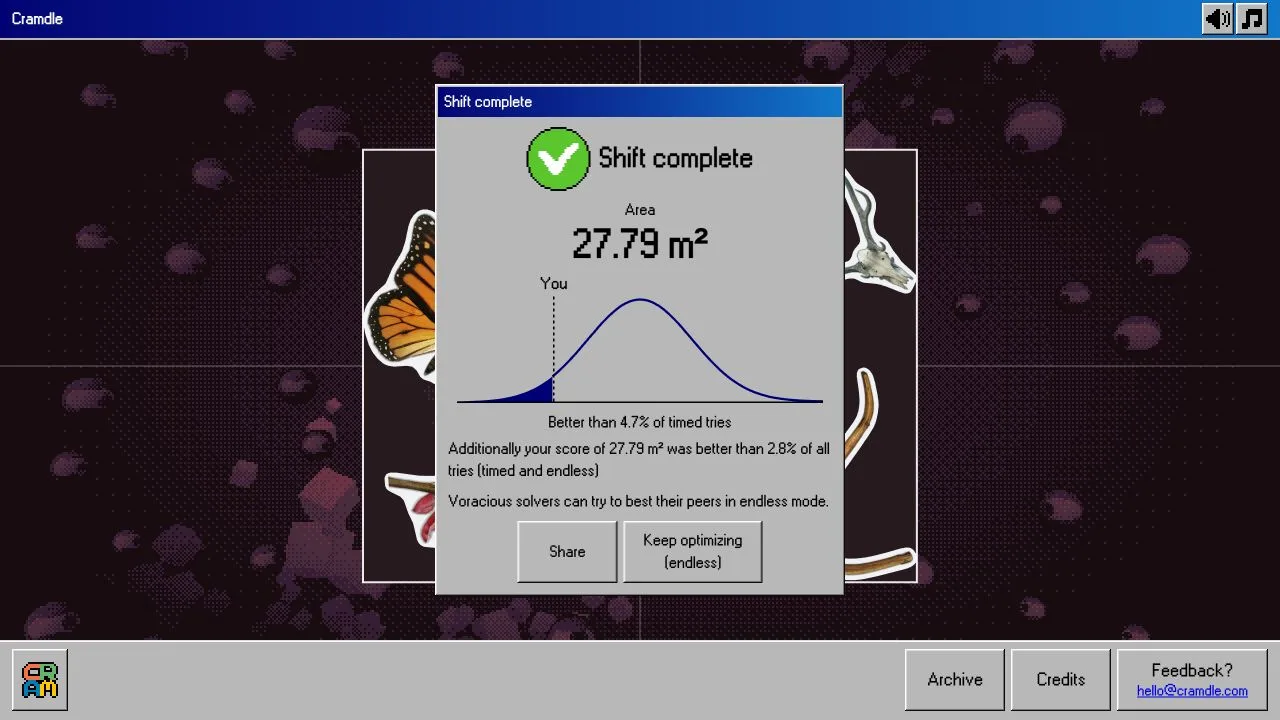
Our countdown ended automatically with a Shift complete panel recording 27.79 m². The result offered sharing and Keep optimizing (endless). We opened endless mode and found the same arrangement available without the timer, with Reset to Best and Submit controls. We did not test sharing or submit an endless result.
For a first shift, make a few broad boundary moves, clear visible overlaps, and use the saved best when an experiment fails. Endless mode then gives you space to examine the awkward outlines without the same countdown pressure.
Testing took place on 24 October 2026, covering one complete desktop timed shift and a brief endless follow-up. Mobile touch controls, other daily sets, archive play and the exact daily reset time were not verified; the advice above comes from this single set.